IBO Player – Complete Guide
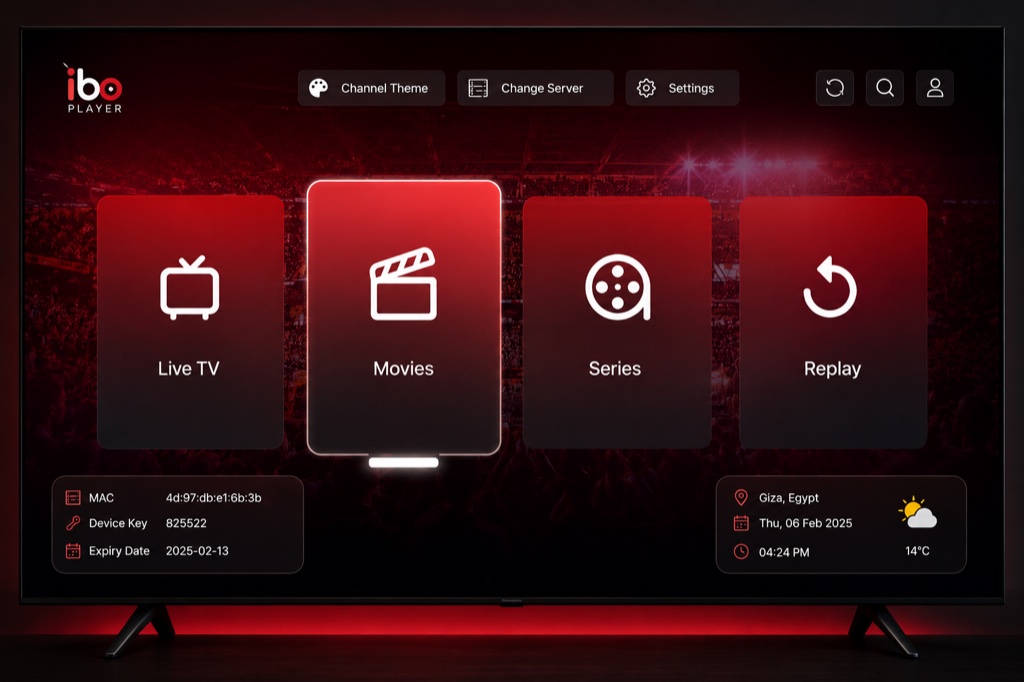
IBO Player is a feature-rich IPTV player with support for multiple formats. Available on various platforms with advanced playback options.
Key Features
- Xtream Codes API support
- M3U and M3U8 playlist support
- EPG with multiple sources
- Catch-up TV support
- Parental control
- Multi-screen support
- Recording capabilities
- External player integration
- Chromecast support
Supported Platforms
- Android phones and tablets
- Android TV
- Amazon Firestick
- iOS (iPhone and iPad)
- Smart TVs
Setup Guide
- Download IBO Player from app store
- Open the app
- Tap Add Account or + button
- Select Xtream Codes or M3U URL
- For Xtream Codes: Enter Username, Password, Server URL
- For M3U: Enter playlist name and URL
- Tap Add to save
- Wait for channels to load
- Configure settings as needed
- Start watching IPTV
Troubleshooting
App Not Loading Channels
- Verify your IPTV subscription is active
- Check your internet connection
- Double-check login credentials (case-sensitive)
- Ensure server URL is correct (no http:// or trailing slash)
- Try removing and re-adding the playlist
Buffering Issues
- Check internet speed (minimum 10 Mbps recommended)
- Use wired connection instead of WiFi
- Enable hardware acceleration in settings
- Lower video quality if available
- Clear app cache and restart
Frequently Asked Questions
❓ Is IBO Player free?
IBO Player offers a free version with basic features. Premium version unlocks advanced features like recording and multiple playlists.
❓ Does IBO Player support Xtream Codes?
Yes, IBO Player fully supports Xtream Codes API for easy setup and EPG integration.
❓ Can I use IBO Player on Firestick?
Yes, IBO Player works on Amazon Firestick. You can download it from the Amazon App Store or sideload it.
❓ Does IBO Player have EPG?
Yes, IBO Player includes EPG support with program information and catch-up TV capabilities.
❓ How many playlists can I add in IBO Player?
IBO Player Premium supports multiple playlists. Free version may have limitations on the number of playlists.
Related Guides
→ Firestick Setup
→ Android TV Guide
→ Fix Buffering