IPTV Smarters Pro – Complete Guide
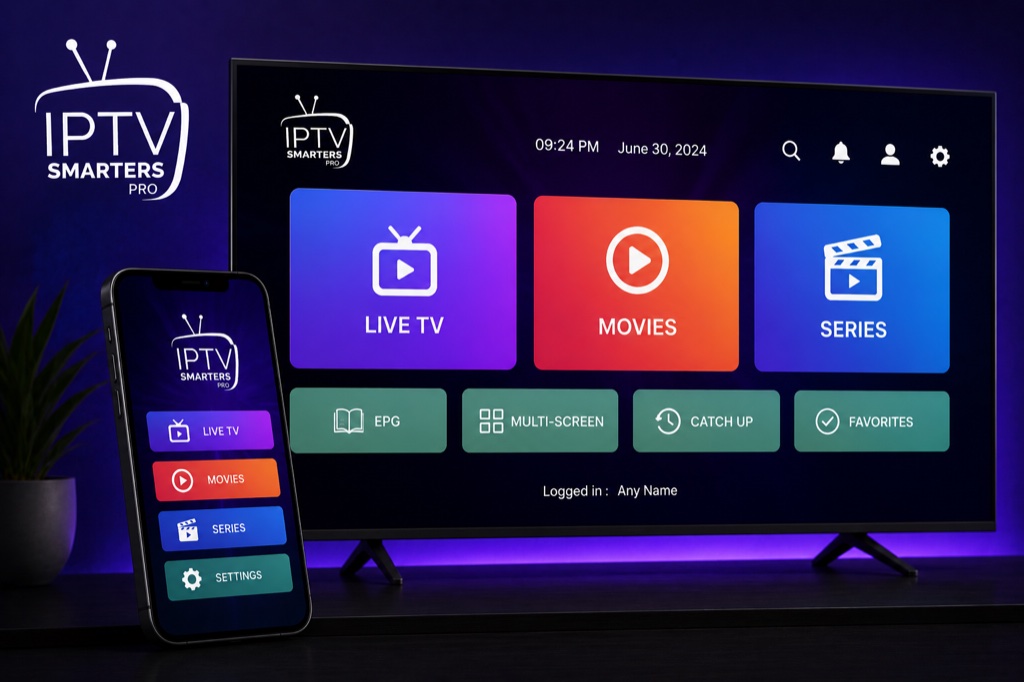
What is IPTV Smarters Pro?
IPTV Smarters Pro is one of the most popular IPTV players available across multiple platforms. It offers a user-friendly interface, supports Xtream Codes API and M3U playlists, and provides features like EPG, catch-up TV, and parental controls.
Supported Platforms
📱 Android
Phones & Tablets
📺 Android TV
Smart TVs & Boxes
🔥 Firestick
Amazon Devices
🍎 iOS
iPhone & iPad
💻 Windows
PC & Laptop
🍏 macOS
Mac Computers
Setup with Xtream Codes
Step 1: Install the App
- Open your device’s app store (Google Play, App Store, Amazon Store)
- Search for “IPTV Smarters Pro”
- Download and install the application
- Open the app after installation
Step 2: Add Your IPTV Service
- On the welcome screen, click “Add New User” or “Login”
- Select “Login with Xtream Codes API”
- Enter your IPTV provider credentials:
- Username: Your IPTV username
- Password: Your IPTV password
- Server URL: Your provider’s server URL (without http://)
- Click “Add User” to save
- Wait for the app to load your channels and content
Key Features
- Multi-Screen Support: Watch on multiple devices with one subscription
- EPG (Electronic Program Guide): See what’s playing now and upcoming shows
- Catch-Up TV: Watch previously aired content
- Parental Controls: Lock adult content with PIN protection
- Favorites: Create custom lists of your favorite channels
- Multi-Language: Interface available in multiple languages
- External Player Support: Use VLC or MX Player for playback
- Recording: Record live TV (on supported devices)
Advanced Settings
Player Settings
- Go to Settings → Player Settings
- Choose between Internal Player, VLC, or MX Player
- Enable hardware acceleration for better performance
- Adjust buffer size if experiencing buffering issues
Parental Control
- Go to Settings → Parental Control
- Enable parental control
- Set a 4-digit PIN code
- Adult content will now require PIN to access
Troubleshooting
Login Failed Error
- Double-check username and password (case-sensitive)
- Verify server URL is correct (no http:// or trailing slash)
- Ensure your IPTV subscription is active
- Contact your IPTV provider to verify credentials
Buffering Issues
- Check your internet speed (minimum 10 Mbps recommended)
- Switch to external player (VLC or MX Player)
- Lower video quality in player settings
- Use wired connection instead of WiFi
- Clear app cache: Settings → Apps → IPTV Smarters → Clear Cache
Related Guides
→ Firestick Setup
→ Android TV Guide
→ Fix Buffering
Frequently Asked Questions
❓ Is IPTV Smarters Pro free?
Yes, IPTV Smarters Pro is free to download and use. You only need to pay for your IPTV subscription service.
❓ Does IPTV Smarters support Xtream Codes?
Yes, IPTV Smarters Pro fully supports Xtream Codes API, making it easy to add your IPTV service with username, password, and server URL.
❓ Can I use IPTV Smarters on multiple devices?
Yes, you can install IPTV Smarters on multiple devices and use the same IPTV subscription credentials on all of them.
❓ Why is IPTV Smarters buffering?
Buffering is usually caused by slow internet connection. Ensure you have at least 10 Mbps speed, use Ethernet instead of WiFi, or try using an external player like VLC.
❓ How do I add parental control in IPTV Smarters?
Go to Settings → Parental Control, enable it, and set a 4-digit PIN code. Adult content will now require the PIN to access.